
OBS - Finding Bin Locations for Finished Goods - INTERNAL ONLY
SEE SAGE 100 Graphic Instructions; Updating Bin Location - ISO - INTERNAL ONLY
INTERNAL ONLY
Department (s): Shipping, Packaging, and Warehousing
In order to find an item that is in finished goods please follow the steps below:
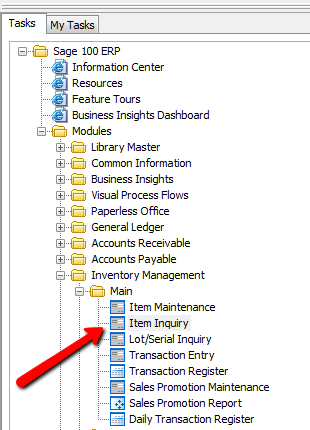
1. Go to SAGE 100; Inventory Management; Item Inquiry
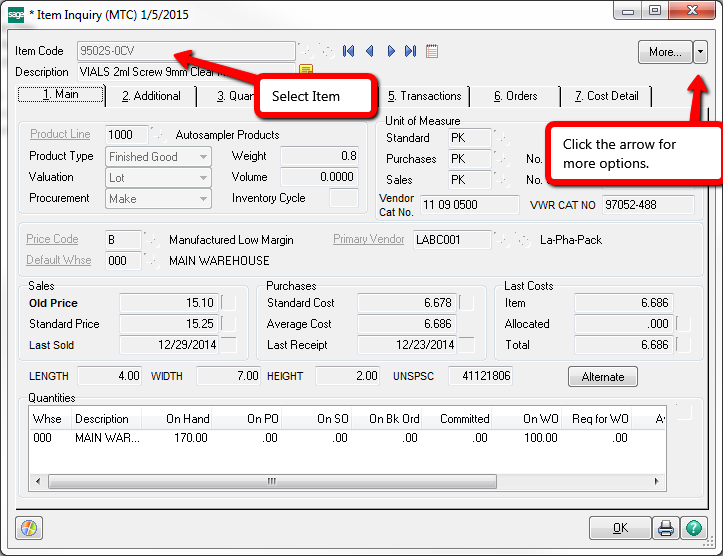
2. Enter part number in the Item Code Field
3. Select More options by selecting the arrow located in the top right hand screen to access the Reorder button.
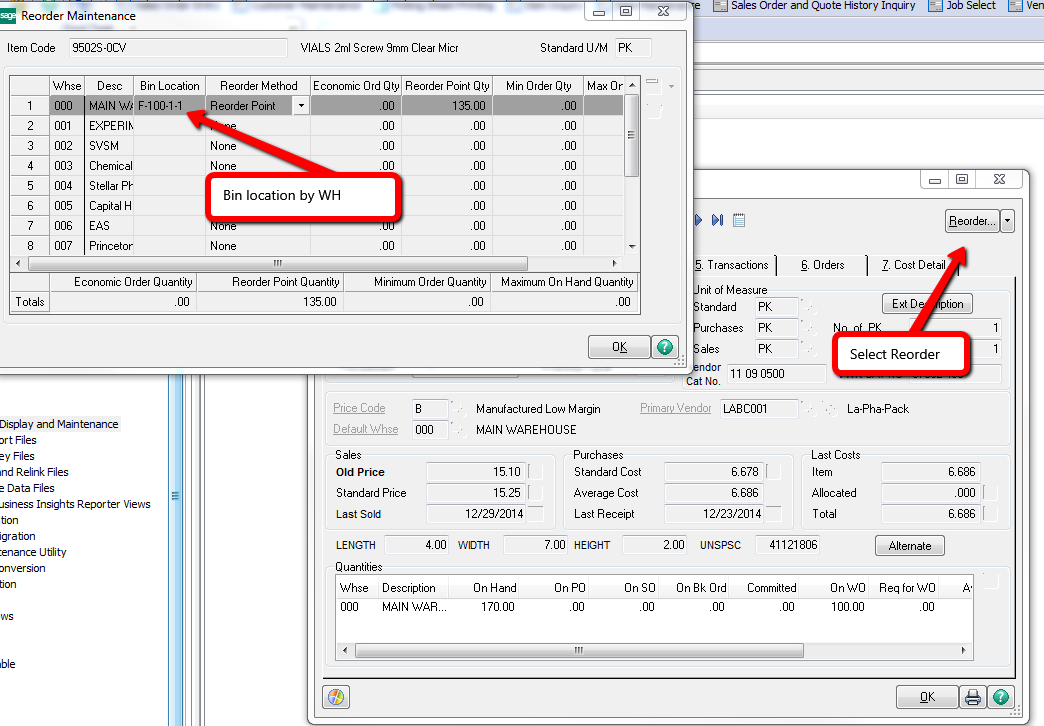
4. Select Reorder Button which will automatically bring you to another screen called Reorder Maintenance. Here is where you can find the Bin locations.
INTERNAL ONLY
Department (s): Shipping, Packaging, and Warehousing
In order to find an item that is in finished goods please follow the steps below:
1. Go to SAGE 100; Inventory Management; Item Inquiry
2. Enter part number in the Item Code Field
3. Select More options by selecting the arrow located in the top right hand screen to access the Reorder button.
4. Select Reorder Button which will automatically bring you to another screen called Reorder Maintenance. Here is where you can find the Bin locations.